Activity trends
See continuous daily and weekly patterns with readable period comparisons.
Know your keyboard rhythm.
Keep every detail private.
Track key presses, APM, typing sessions, shortcuts, and keyboard heatmaps locally. No typed text. No screenshots. No automatic upload.
Your activity, made legible
Move from a quick menu bar glance to the shape of a day, week, month, or year. KHYTHM turns counts into context without turning activity into content.
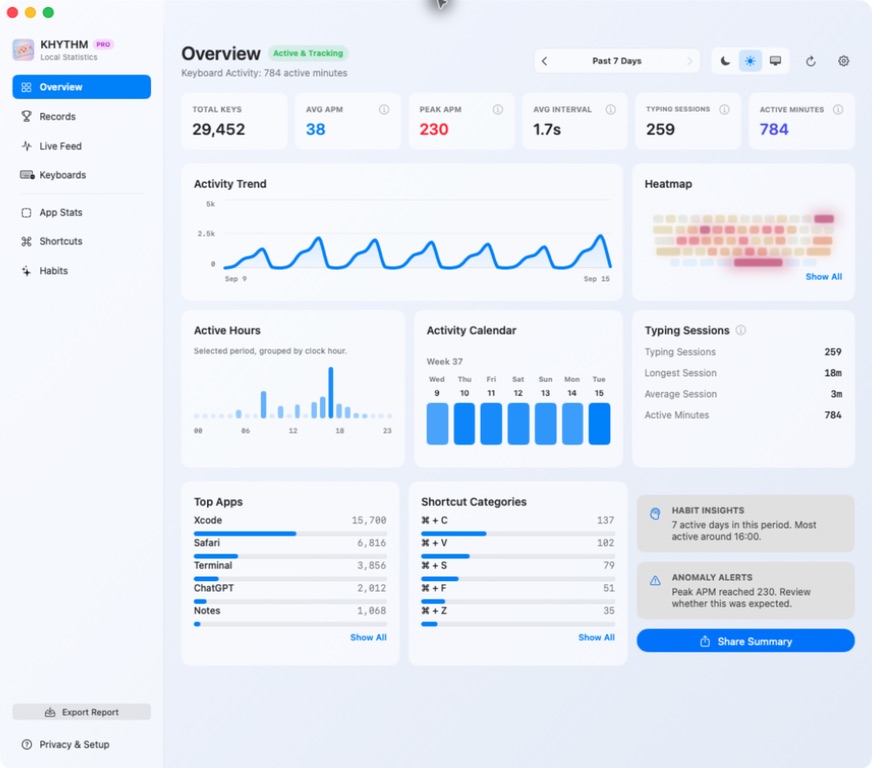
See continuous daily and weekly patterns with readable period comparisons.
Understand focused stretches, quiet gaps, peak APM, and the hours that carry your work.
Compare safe aggregate app activity and familiar shortcut names without storing window titles or paths.
Compare local aggregate activity across safe keyboard groups, with counts, APM, trends, and heatmaps in PRO.
Inside the dashboard
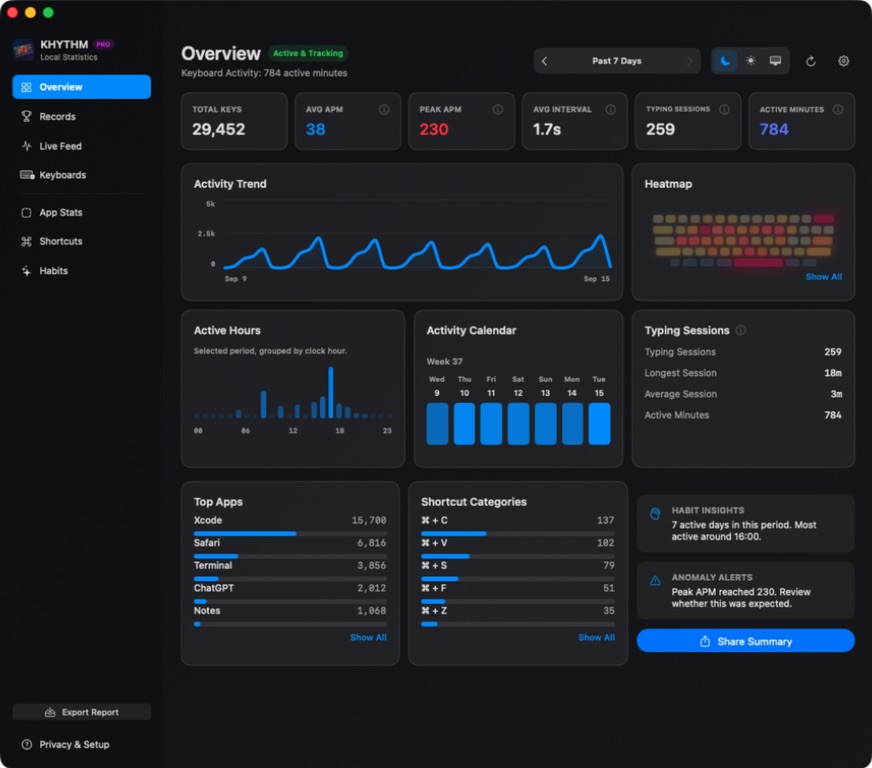
Move from the weekly shape to the hours, apps, shortcuts, and sessions that formed it. Every view is built from aggregate activity.
Product UI shown with locally generated demonstration aggregates.
Understand the numbers
Learn what a keyboard heatmap shows, which statistics KHYTHM calculates, and why APM measures something different from typing speed.
See how local key-position counts become a physical keyboard heatmap without saving the text those keys produced.
Explore keyboard heatmapsUnderstand key presses, active minutes, typing sessions, APM, shortcuts, app aggregates, and per-keyboard insights.
See every metricLearn why actions per minute can describe keyboard activity without reading words, documents, or anything you type.
Compare APM and WPMA keyboard that tells a story
The heatmap follows the physical keyboard layout and uses soft, relative intensity. It shows activity by key position, never the text those keys produced.


PRO · Per-keyboard insights
When enabled, KHYTHM groups local aggregate activity by keyboard. Compare counts, APM, trends, and physical heatmaps without storing serial numbers or hardware identifiers.
Shown with locally generated demonstration aggregates for Keychron · K8 Pro. Real display names use the Manufacturer and Product information a keyboard provides to macOS and may be generic.
Privacy is the product
KHYTHM counts activity without saving what you write.
No screen, window, clipboard, or visual content capture.
Aggregate statistics live on your Mac by default.
Exports, backups, and diagnostics happen only after your action.
Input Monitoring observes events; it never injects, blocks, or replays them.
Reset data, tune retention, ignore apps or hours, and optionally encrypt locally.
Built for a longer view
Basic keeps 90 days of local aggregate history. KHYTHM PRO unlocks one-year or permanent history, local encryption, per-keyboard insights, deeper dashboard views, and real-time menu bar APM.
PRO is planned as a one-time Mac App Store purchase. The current preview build does not initiate a real transaction.


Share the pattern, not the private parts
Generate a polished image from aggregate metrics. App and shortcut details stay hidden by default, and nothing is copied, saved, uploaded, or shared until you choose it.
Questions, answered
KHYTHM stores local aggregate counts such as key presses, active minutes, APM, typing sessions, physical key positions, familiar shortcuts, and optional app or keyboard groups. It does not save the text those keys produced.
No. KHYTHM does not record characters, words, passwords, documents, window contents, screenshots, clipboard contents, URLs, or file paths. It turns listen-only key-down activity into local aggregate statistics.
Keyboard activity stays in one typing session while consecutive key presses are no more than five minutes apart. A longer pause or a new calendar day starts a new session. Sessions describe activity patterns, not focus or work time.
Yes. Optional PRO per-keyboard insights can compare safe local aggregate groups for built-in and external keyboards without storing serial numbers or unique hardware identifiers.
APM means actions per minute. KHYTHM uses it to describe keyboard activity without reading words. Average APM divides key presses by active minutes; Peak APM is the highest key count in a single calendar minute.
Not automatically. App statistics stay local by default. Exports, backups, diagnostics, and share images happen only after your action, with explicit privacy controls.
Private by design. Useful every day. Coming soon to the Mac App Store.
Join the Wishlist